\begin{article}
Why TeX Live Docker Images Are 4 GB (And What to Do About It)
A 4 GB container image just to compile a PDF is a real problem in CI/CD pipelines. Here is why TeX Live is so large, what it costs you, and the lighter alternative.

If you have ever tried to add LaTeX compilation to a Docker-based workflow, you have hit the wall: texlive-full pulls in 4 GB of data. Your CI jobs slow down, your registry bills go up, and you spend more time managing infrastructure than building your product. Here is why TeX Live is so large — and what you can do about it.
The 4 GB Problem
Run this in any Ubuntu-based container and watch the progress bar:
apt-get install -y texlive-full
# 4,152 packages... 3.8 GB download... 8 minutes...
Your CI pipeline now has an 8-minute dependency installation step before it can do anything. And that is with a warm apt cache. Cold cache: longer.
This is not unique to texlive-full. Even the "minimal" texlive package pulls ~400 MB. The medium texlive-latex-extra pulls ~1.5 GB. And the moment your document needs a package that is not in the base install, you are back to installing more.
Why TeX Live Is Massive
TeX Live is not just a LaTeX compiler — it is the entire CTAN (Comprehensive TeX Archive Network) distribution, which includes:
- 4 LaTeX engines: pdflatex, XeLaTeX, LuaLaTeX, XeTeX
- 6,000+ packages: every package ever published to CTAN
- 1,200+ fonts: in every format (Type 1, TrueType, OpenType)
- Support for 80+ languages: with hyphenation dictionaries
- Documentation: manuals and man pages for every package
- Utilities: BibTeX, Biber, MakeIndex, latexmk, dvips, and dozens more
Every package has its own .sty file, documentation, and sometimes dozens of font files. The fonts alone account for a significant portion of the installation.
# Size breakdown on a typical texlive-full install
du -sh /usr/share/texmf/fonts/    # ~1.4 GB — fonts
du -sh /usr/share/texmf/tex/      # ~1.8 GB — packages
du -sh /usr/share/texmf/doc/      # ~600 MB — documentation
The cruel irony is that most projects use 20–30 packages and 1–2 fonts. You are installing 6,000 packages to use 30.
The CI/CD Cost
The impact compounds across a typical team:
| Scenario | Time cost | Storage cost |
|---|---|---|
| Pulling uncached image | 8–15 min | 4 GB per runner |
| Warm cache hit | 30–90 sec | 4 GB stored |
| Docker image build | 10–20 min | 4 GB in registry |
| Registry storage (1 image) | — | $0.10–0.40/month |
| Registry storage (10 environments) | — | $1–4/month |
These numbers seem small — until you multiply by engineers waiting on CI jobs. An 8-minute LaTeX install on a pipeline that runs 20 times per day is 160 minutes of developer waiting. Per day. A detailed breakdown of these LaTeX compilation timeouts in CI/CD and how to handle them is worth reading if your pipelines are regularly stalling.
The Maintenance Burden
TeX Live releases a new annual version every spring. If you pin to a specific TeX Live version in your Dockerfile:
FROM ubuntu:22.04
RUN apt-get install -y texlive-full=2023.20230712-1
You are now responsible for:
- Testing each new TeX Live release
- Rebuilding and re-pushing your Docker image
- Communicating breaking changes to your team
- Maintaining package version compatibility
If you do not pin, you get non-deterministic builds — a package update might silently change your PDF output.
TeX Live packages are updated continuously through tlmgr (TeX Live Manager). Two builds from the same Dockerfile, run one week apart, can produce different PDFs if you do not pin every package version. This is very difficult to do correctly.
When self-hosting LaTeX vs. using a compilation API, this maintenance burden is one of the largest hidden costs that teams consistently underestimate.
The Alternative: An API Call
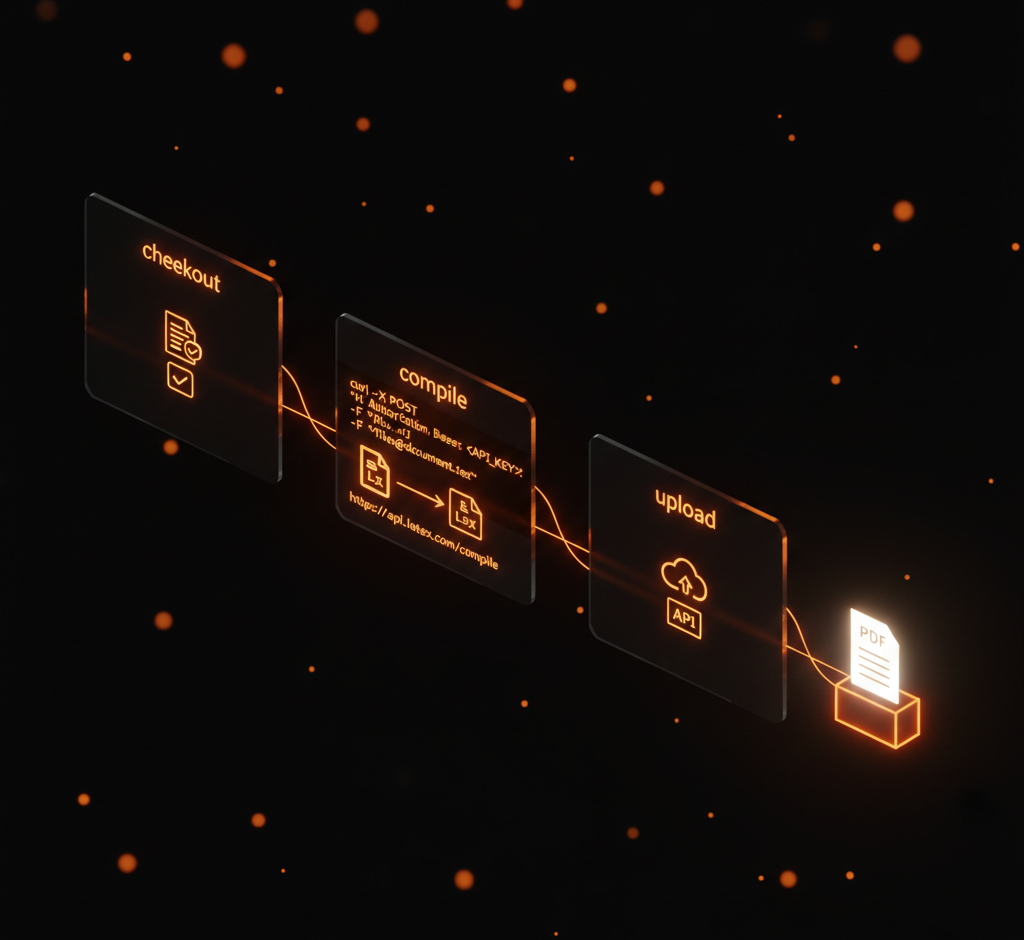
FormaTeX is a REST API that runs LaTeX compilation on maintained, production infrastructure. From your pipeline's perspective, it is a single curl command:
curl -X POST https://api.formatex.io/api/v1/compile \
  -H "X-API-Key: $FORMATEX_KEY" \
  -H "Content-Type: application/json" \
  -d "{\"content\": $(cat document.tex | jq -Rs .), \"engine\": \"pdflatex\"}" \
  --output document.pdf
Your container needs curl and jq — both are available in alpine:3.19 at under 10 MB. Running LaTeX PDFs in AWS Lambda via API follows the same principle — your function stays well under the 250 MB layer size limit because TeX Live never touches your deployment package.
Size Comparison
| Approach | Image size | Install time | Maintenance |
|---|---|---|---|
texlive-full | 4.2 GB | 8–15 min | You own it |
texlive-latex-extra | 1.5 GB | 3–5 min | You own it |
texlive (base) | 400 MB | 1–2 min | You own it, but packages missing |
Custom texlive subset | 200–800 MB | 5–10 min + trial and error | You own it |
| FormaTeX API | ~8 MB (alpine+curl+jq) | <1 sec | Managed |
The FormaTeX approach reduces your image by 99.8%, eliminates the install step entirely, and removes all TeX Live maintenance from your plate.
# Before: 4 GB image, 10 minute install
compile-pdf:
  image: texlive/texlive:latest  # 4 GB pull
  script:
    - pdflatex document.tex

# After: 8 MB image, seconds to start
compile-pdf:
  image: alpine:3.19
  before_script:
    - apk add --no-cache curl jq
  script:
    - |
      curl -s -X POST https://api.formatex.io/api/v1/compile \
        -H "X-API-Key: $FORMATEX_KEY" \
        -H "Content-Type: application/json" \
        -d "{\"content\": $(cat document.tex | jq -Rs .), \"engine\": \"pdflatex\"}" \
        --output document.pdf
alpine:3.19 with curl and jq is about 8 MB total. Your CI job goes from spending 10 minutes on infrastructure to spending 2 seconds on an API call, then the rest of the time on your actual work.
Get Started
- Sign up for free — 15 compilations/month, no card required
- CI/CD integration guide — GitHub Actions, GitLab CI, and more
- API reference — full endpoint documentation
Related Articles
- Self-Hosting LaTeX vs. Using a Compilation API — Full cost analysis that quantifies why managed infrastructure beats running your own TeX Live
- LaTeX Compilation Timeouts in CI/CD — How to diagnose and fix timeout failures that compound the pain of heavy TeX Live installs
- The Complete Guide to LaTeX Engines — Understand what pdfLaTeX, XeLaTeX, LuaLaTeX, and latexmk actually do so you can choose the smallest viable install
- LaTeX PDFs in AWS Lambda via API — How the API approach solves the Lambda 250 MB layer limit that TeX Live blows past instantly
- Compiling LaTeX in CI/CD Pipelines with FormatEx — Step-by-step GitHub Actions and GitLab CI examples using the lightweight API approach
\end{article}
\related{posts}